Univers de la Gourmandise / GRH · Availability and scheduling
The manager sends requests by WhatsApp. Everyone enters availability on their phone and the responses appear together in a dashboard. Buttons then prepare schedules for review before publication.
Before
Collect availability on paper and in messages, wait for students and flex workers to reply, then copy and assemble schedules.
With the tool
WhatsApp: request availability
Students and flex workers: reply on mobile
Dashboard: bring responses together
One button: prepare schedules
Apply regular shiftsGenerate scheduleReview and publish
Time back for the team
Less collection and copying onto paper. Regular shifts are applied in one click; proposed student and flex-worker schedules are generated, then reviewed. Response times still depend on each person.
Workflow diagram, without client data.
Availability and schedules are gathered in one tool. The manager focuses on adjustments and approval rather than compiling paper notes and messages.
Follow-up : Maintenance and changes requested by the team.
Does this sound familiar?
You wait for your team’s availability and then put schedules together by hand.
The tool uses names and prices from the Excel file exported from Odoo, the shop’s management software. It prepares Dymo labels or A4 sheets for printing.
Before
Prepare price labels from a product file.
With the tool
Export products from Odoo
Load the Excel file
Prepare Dymo labels or A4 posters
Time back for the team
Names and prices populate the layout, avoiding manual composition of each label.
Workflow diagram, without client data.
File data populates labels without rebuilding each layout.
Follow-up : Delivered application with improvements to the printing workflow.
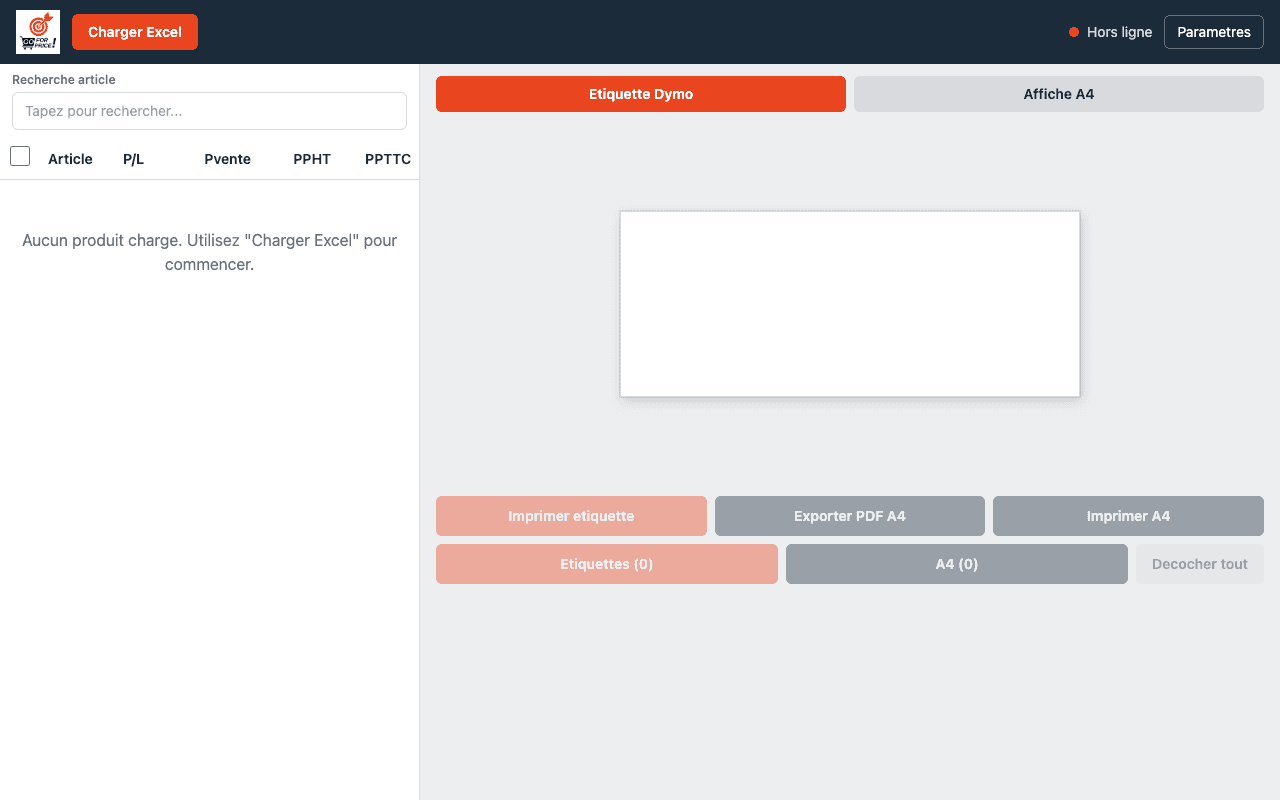
Actual application screenshot — import screen, without client data.
Tools and platforms :Excel · Dymo
Does this sound familiar?
You retype product names and prices to prepare labels.
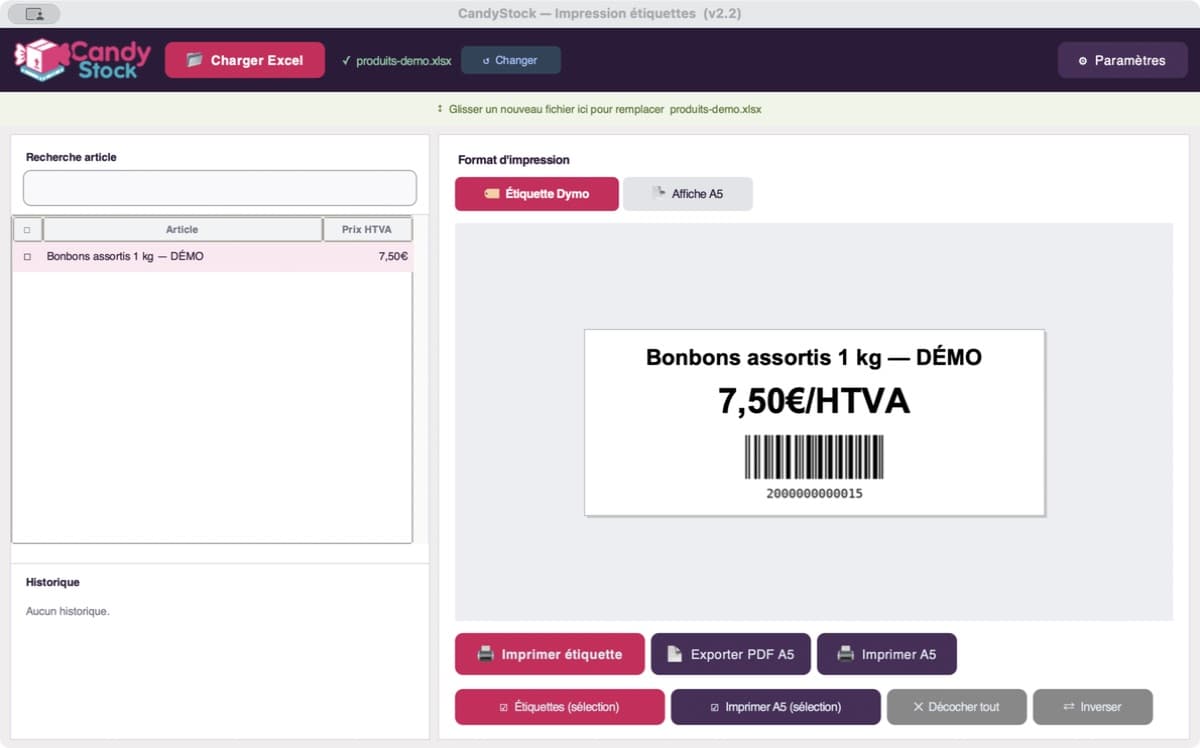
The tool uses products from the Excel file exported from Odoo, the management software. The name, price and barcode are placed on the Dymo label for printing.
Before
Adapt labels and barcodes to wholesale operations.
With the tool
Reuse Odoo products through Excel
Select the product and barcode
Prepare the Dymo label
Time back for the team
Name, price and barcode come together in a print-ready label without individual layout work.
Workflow diagram, without client data.
Products and barcodes combined in one printing workflow.
Follow-up : Delivered application; changes follow business needs.
Actual CandyStock screenshot: Dymo label preview with barcode. Demonstration product and price.
Tools and platforms :Excel · Dymo
Does this sound familiar?
You need to bring together each product’s name, price and barcode before printing.
Draft product descriptions from your existing information
Aïves Data Enricher · Aïves product
Using the available information, the tool helps draft descriptions in several languages and fill in product details. Each page needs review before publication.
Before
Incomplete or poorly structured product information.
With the tool
Use your product information
Prepare descriptions
Review before publishing
Time back for the team
Reduce repetitive product-listing preparation. Human review remains necessary; development is currently paused.
Workflow diagram, without client data.
The initial information is gathered in a product page you can review and correct.
Follow-up : Existing product; development currently paused.
Source data
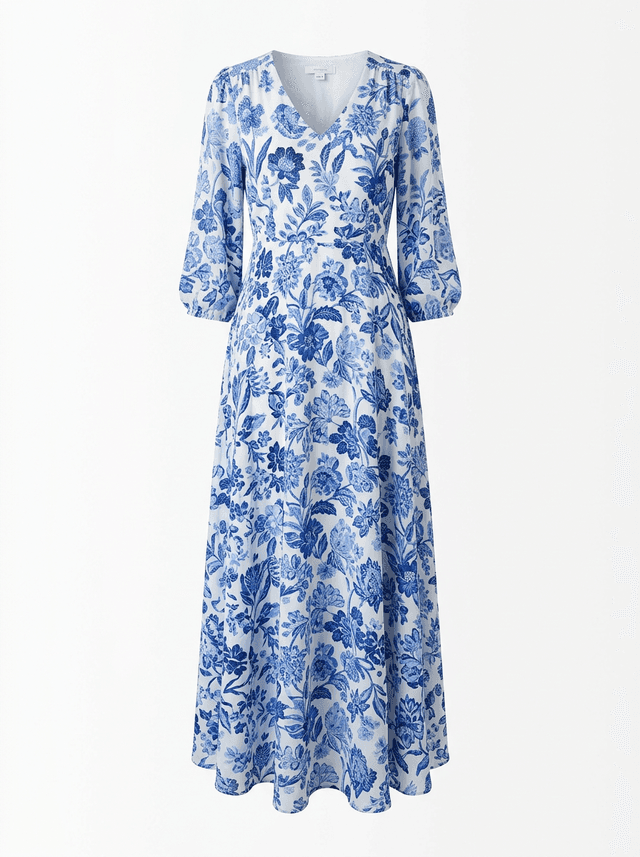
Enriched example
Illustrative example: raw data and an AI-generated image. This is not a performance measurement.
Does this sound familiar?
You have a few product details and need to write descriptions one by one.
Tell us about a task you repeat, the tools you use and how long it takes. We will explore what can be simplified and how to assess time saved. No technical knowledge is needed.